The Business Operating System for Project-Driven Companies
Plan. Execute. Monitor. Report. Analyse.
Run projects, field operations, costs, teams, and client reporting from one connected platform. Built and run in-house at Nordic Riser first — the screenshots below are from that live build, seeded with example project data.
From Plan to Client Report — One Connected Flow
Plan
A project is set up with its own budget, client, and team.
Assign
Tasks are assigned with a due date and estimated hours.
Execute
The team works the job — tasks move through the board as the work gets done.
Capture
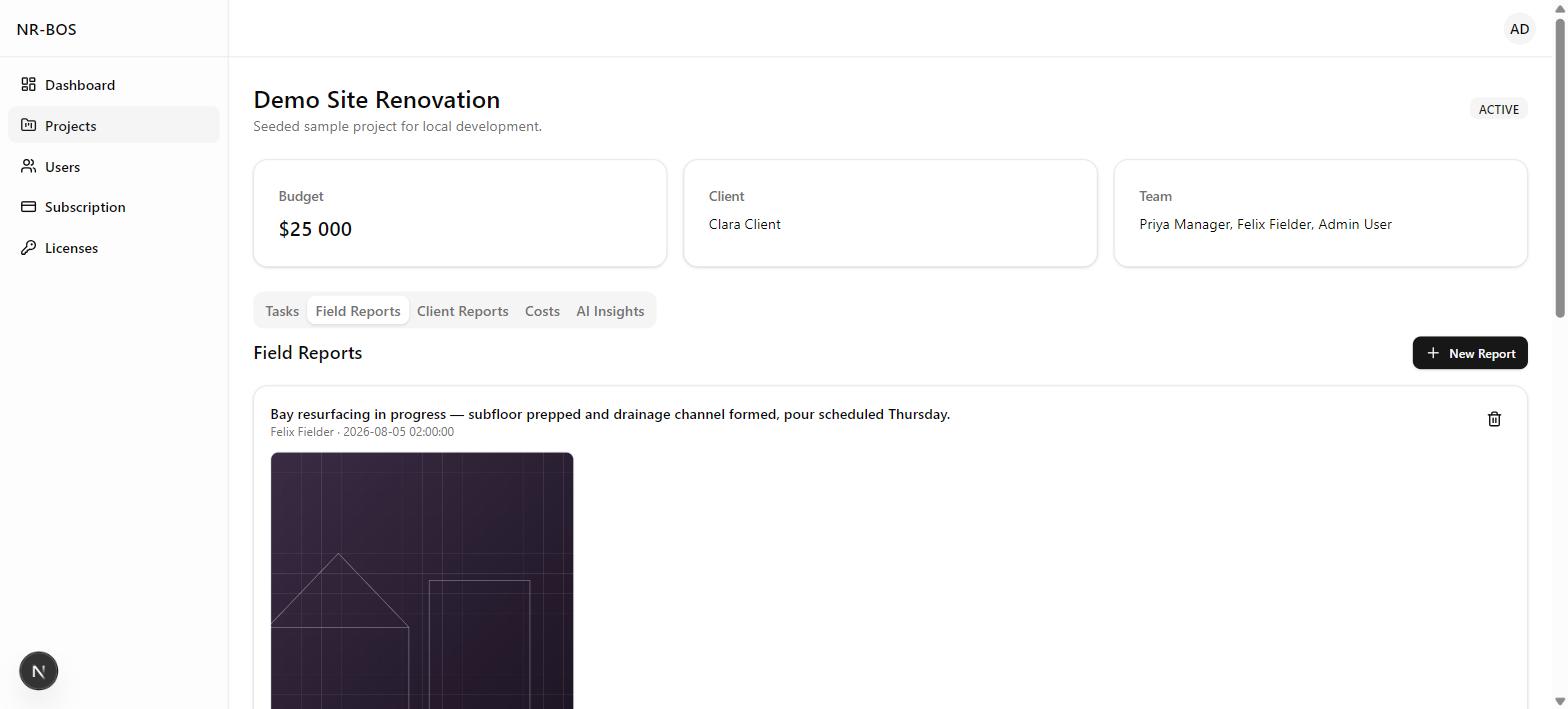
Field crews log site notes, photos, a timestamp, and location straight from the job.
Review
The task moves through the board's Review stage before it's marked done.
Monitor
Portfolio KPIs, workload, and budget-vs-actual refresh automatically as the data comes in.
Analyse
On demand, AI reads the updated project data and returns a risk, cost, and productivity briefing — decision support, not an autonomous action.
Report
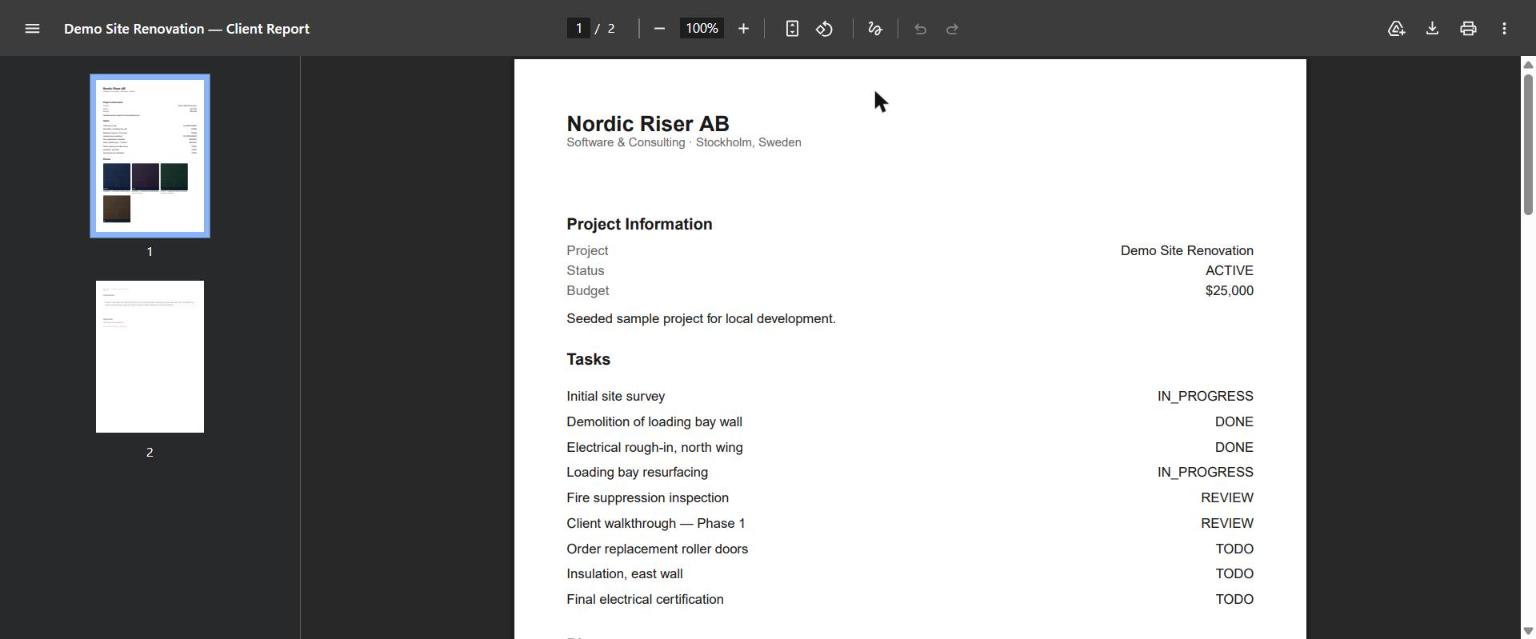
A branded PDF pulls in the project's tasks, costs, and recent field photos.
Client
The client sees the report — and, on their own login, only what's theirs.
What's Built, What's Coming
CRM
Client and contact relationship tracking. Not yet built — client details currently live inside each project record.
Projects
Every job tracked with its own budget, client, and team on a four-stage board.
Tasks
Assignee, due date, and estimated hours on every task, moving through To Do → In Progress → Review → Done.
People
Company user accounts with role-based access, plus employee records with pay rates held against the period they applied to — a rate change never rewrites last quarter's numbers.
Time Tracking
Field workers start and pause a timer on site, or a manager corrects hours on a weekly grid — every entry is submitted, approved, or rejected before it counts.
Field Ops
Site notes, timestamps, geotagging, and before/after photos logged straight from the field.
Work Orders
Dispatch work to a job with a priority and a scheduled date, tracked by status and assignee across every project.
Schedule
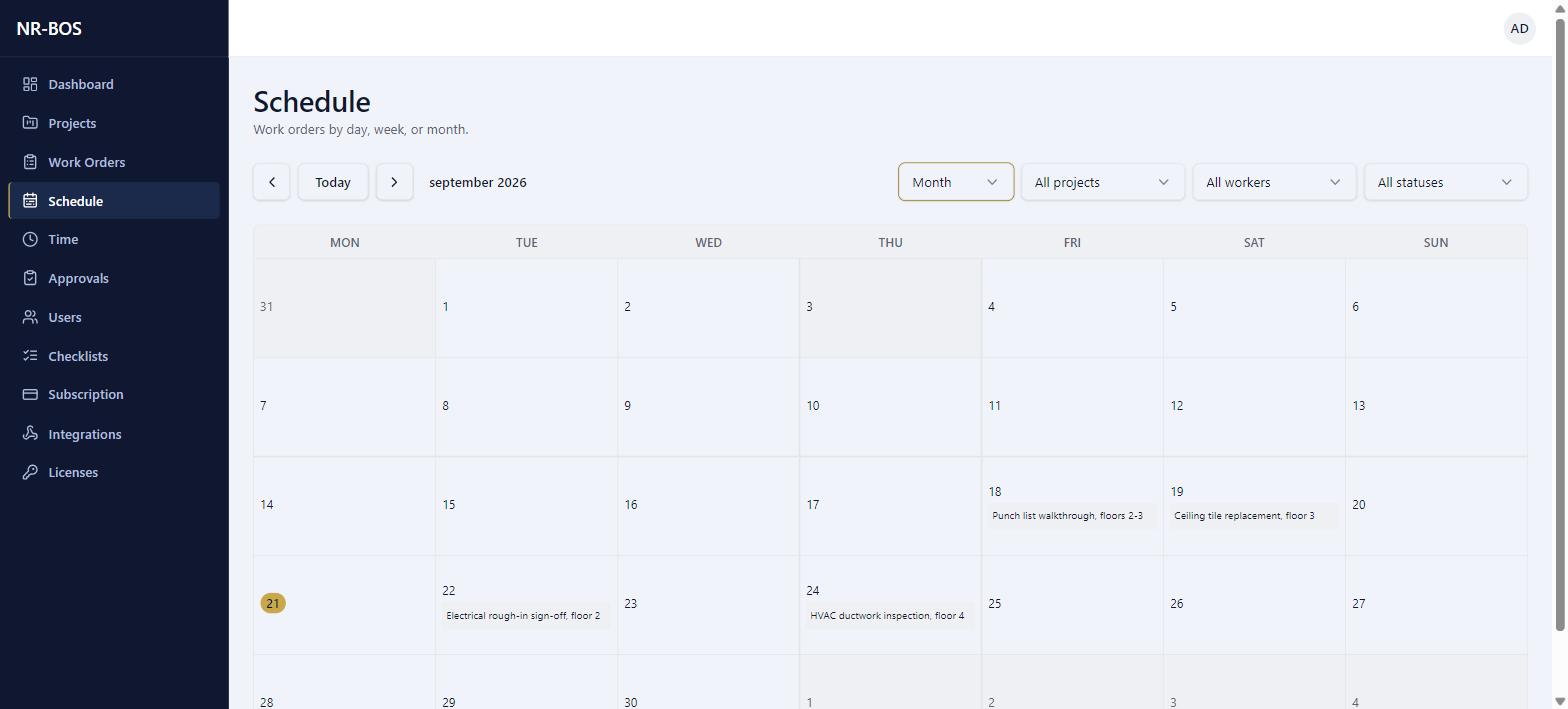
Every work order laid out on a day, week, or month calendar, filterable by project, worker, or status.
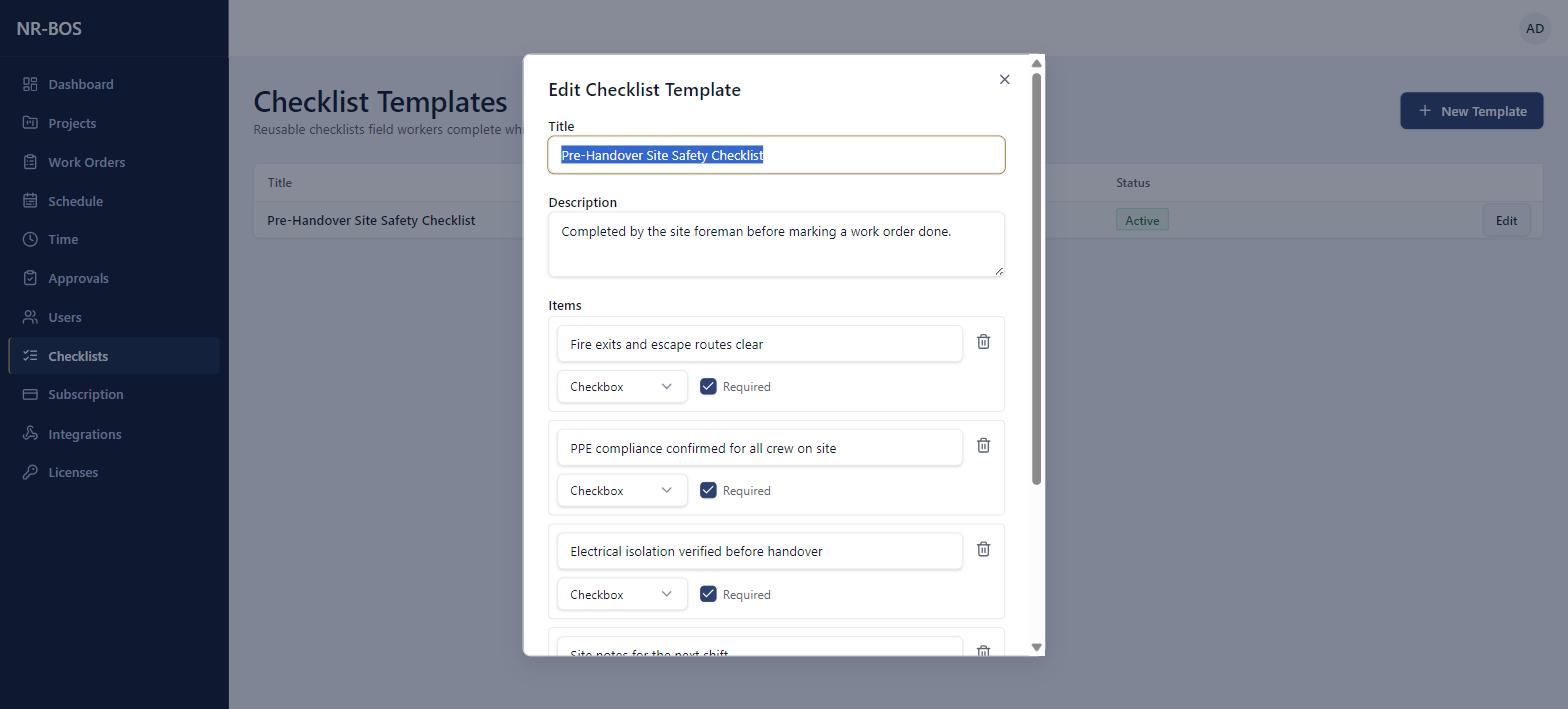
Checklists
Reusable checklist templates attached to a work order, so field workers complete the same steps every time.
Costs
A running cost ledger by category — including labour cost derived from approved hours, not keyed in by hand — with remaining budget calculated automatically.
Documents
A dedicated document vault. Not yet built — client reports currently ship as standalone PDFs.
Client Portal
Clients log in to see only their own project's status and reports.
Reporting
Branded PDF reports generated in one click from a project's tasks, costs, and field photos.
Analytics
Portfolio-wide KPIs, team workload, and budget-vs-actual, updated in real time.
Revenue & Margin
Revenue tracking and true margin, alongside the existing cost side. Not yet built — analytics currently shows budget vs. actual spend only.
Forecasting
Forward-looking projections for cost, revenue, and delivery. Not yet built.
AI
A built-in AI assistant that reads real project data on demand and returns a structured risk, cost, or productivity briefing. Built, but currently paused while it's reworked — not available in the live product yet.
The Same Workflow, Applied to Your Trade
Construction
Track every job against its budget, log site progress with photos, and hand the client a branded report without leaving the platform.
Contractors
Run multiple client jobs at once — each with its own budget, team, and task board — without losing track of who's doing what.
Property Maintenance
Assign recurring work orders, capture before/after proof from every visit, and keep a running cost ledger per property.
Facilities Management
Coordinate a distributed team across sites, with a live read on workload and budget across the whole portfolio.
Field Services
Dispatch tasks with due dates and estimated hours, then capture field notes, photos, and location the moment the work is done.
Installation
Move a job from scheduled to complete with photo evidence at every stage, backed by a cost ledger for materials and labour.
Engineering
Keep tasks, budgets, and field documentation connected to the same project record — no separate spreadsheet to reconcile.
Cleaning & Maintenance
Track recurring visits, log site notes and photos on the spot, and give clients a clear report of what was done and when.
What Connects to NR-BOS, and When
Accounting
Sync cost entries and invoicing with your accounting system.
Payroll
Feed approved hours into payroll — NR-BOS won't run payroll itself.
CRM
Keep client and contact records in sync with your CRM.
ERP
Connect project and cost data to a broader ERP system.
Calendar
Push task due dates and field visits to your team's calendar.
Send client reports and notifications straight from your own inbox.
Cloud Storage
Mirror field-report photos and PDFs to your own storage provider.
APIs
A documented API for reading and writing NR-BOS data from your own tools.
Webhooks
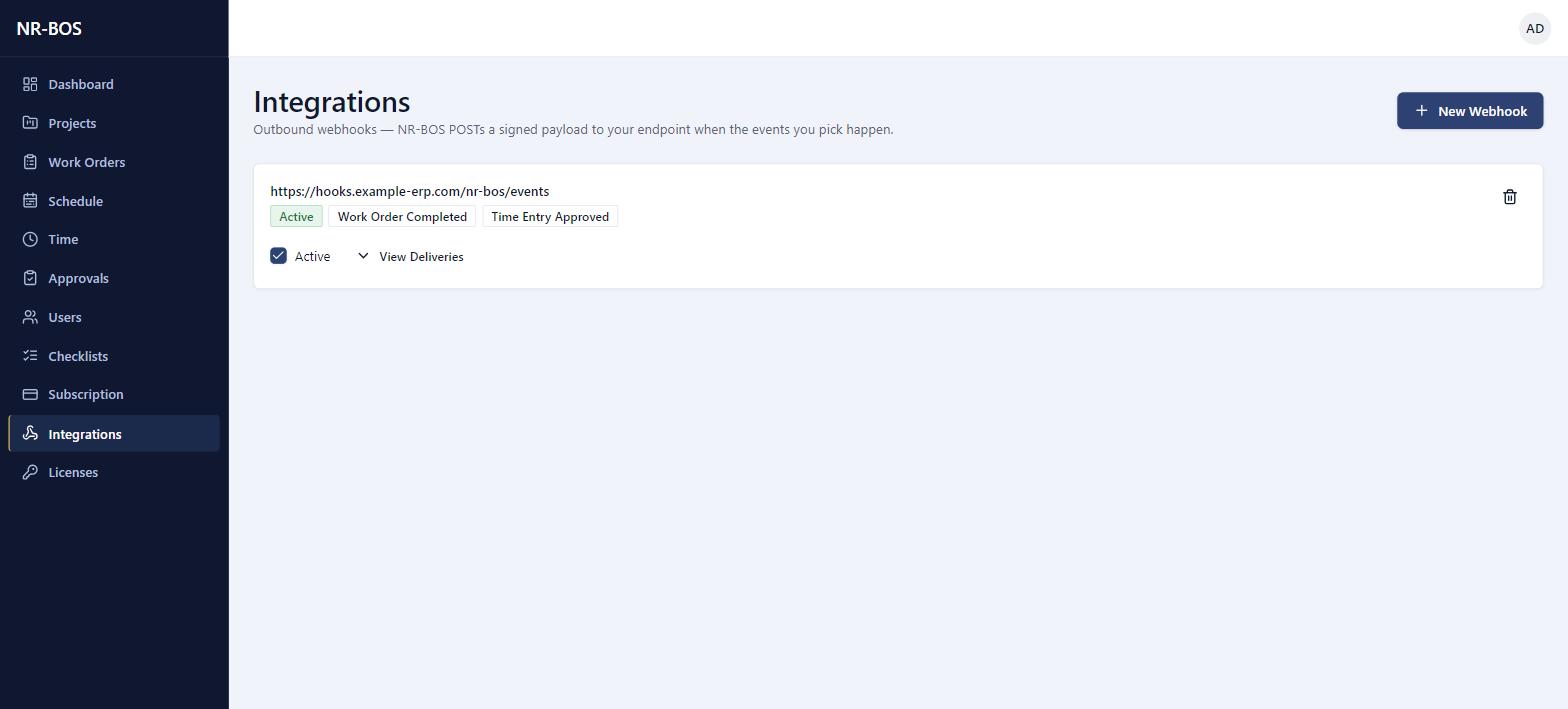
Outbound webhooks — NR-BOS POSTs a signed payload to your endpoint the moment an event you picked happens, no polling required.
In-House Product · NR-BOS
NR-BOS — Interactive Tour
Overview
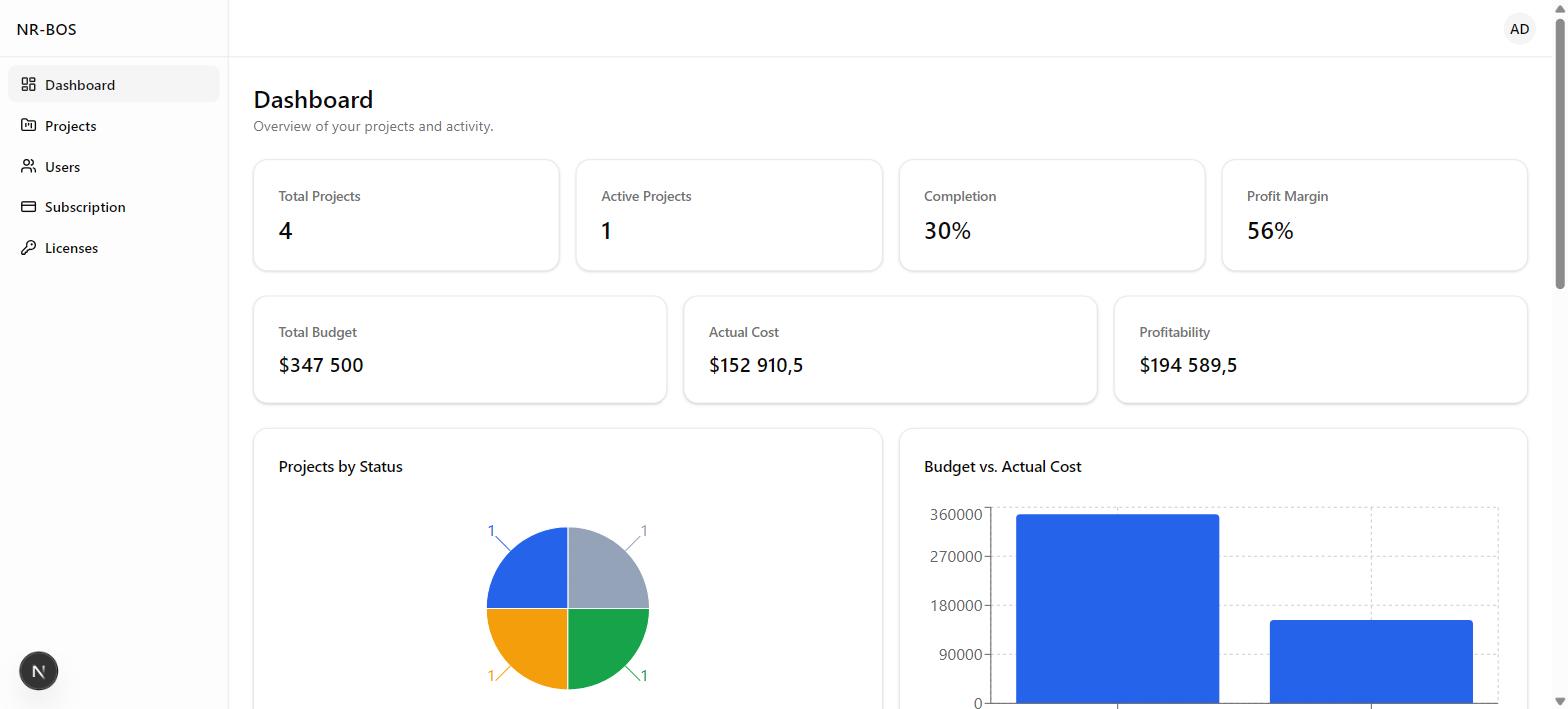
Available NowA live read on every project
Portfolio-wide KPIs, budget vs. actual spend, and completion — the first thing anyone opens each morning.
- Total and active project counts, updated in real time
- Completion percentage across the whole portfolio, tracked automatically as tasks close
- Budget vs. actual cost, side by side
- Profit margin and profitability, calculated from budget against actual cost — not yet tied to invoiced revenue
Delivery
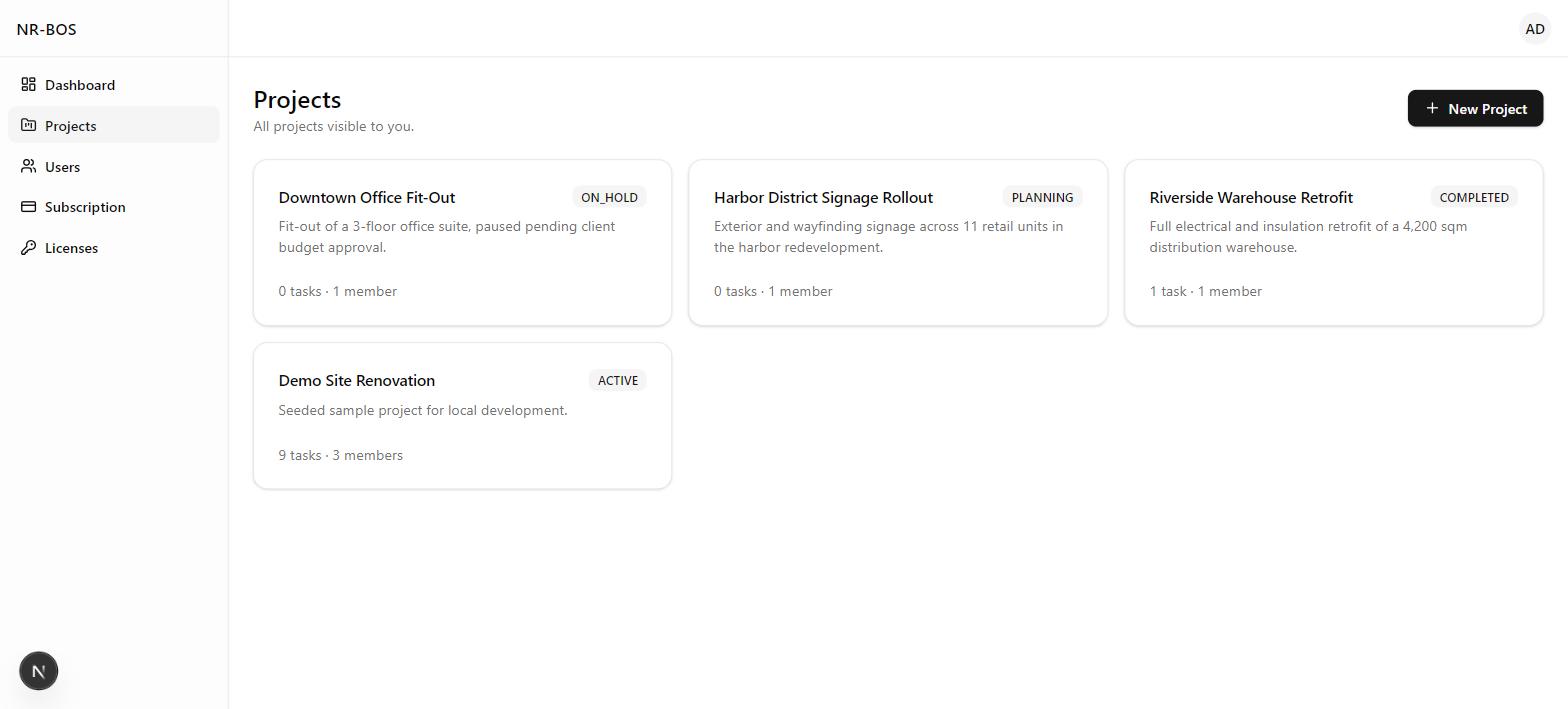
Available NowEvery job, tracked to the task
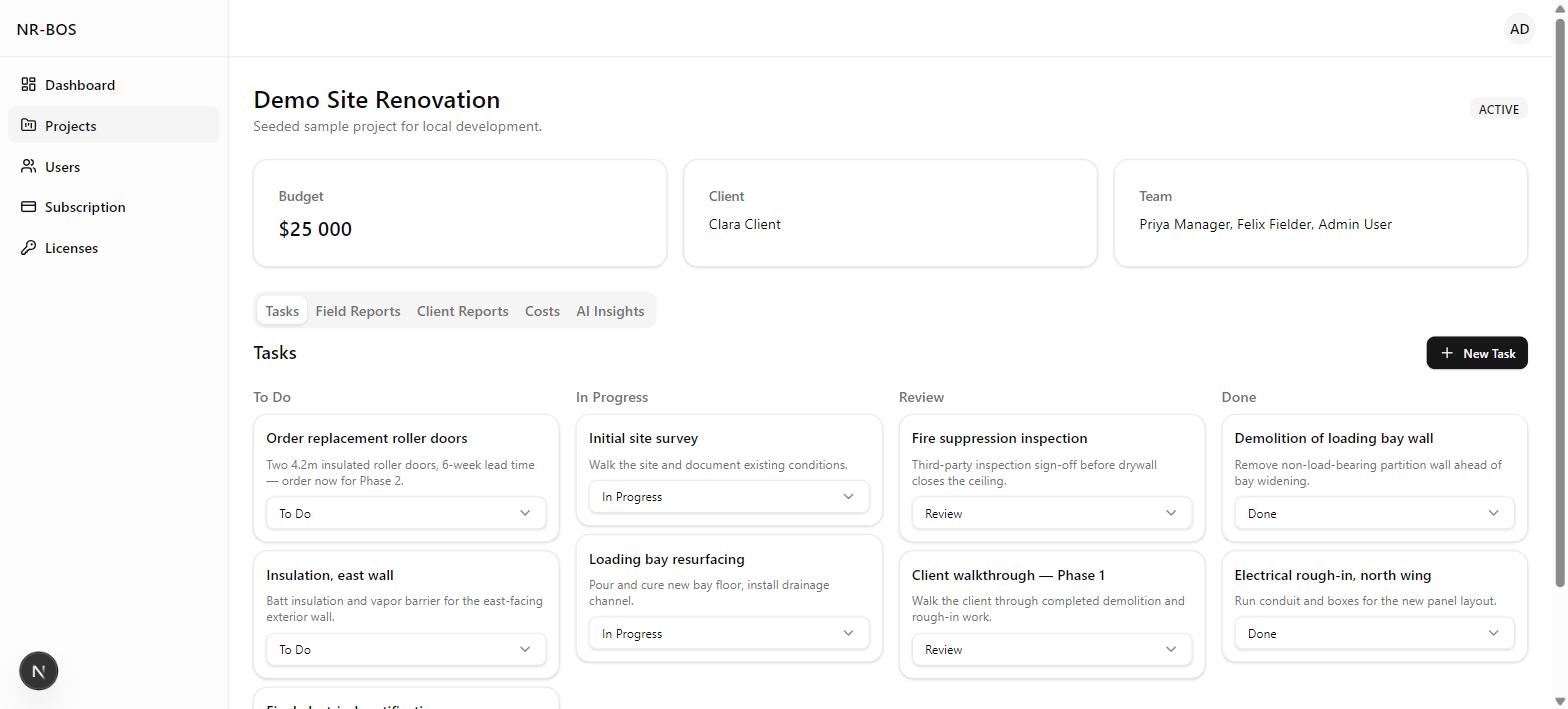
Projects carry their own budget, client, and team. Work inside each one runs on a four-column board.
- To do, in progress, review, done — one board per project
- Each task carries an assignee, due date, and estimated hours
- Project status — planning, active, on hold, completed — visible at a glance
- Work orders dispatched with a priority and scheduled date, visible on a day, week, or month calendar
Dispatch
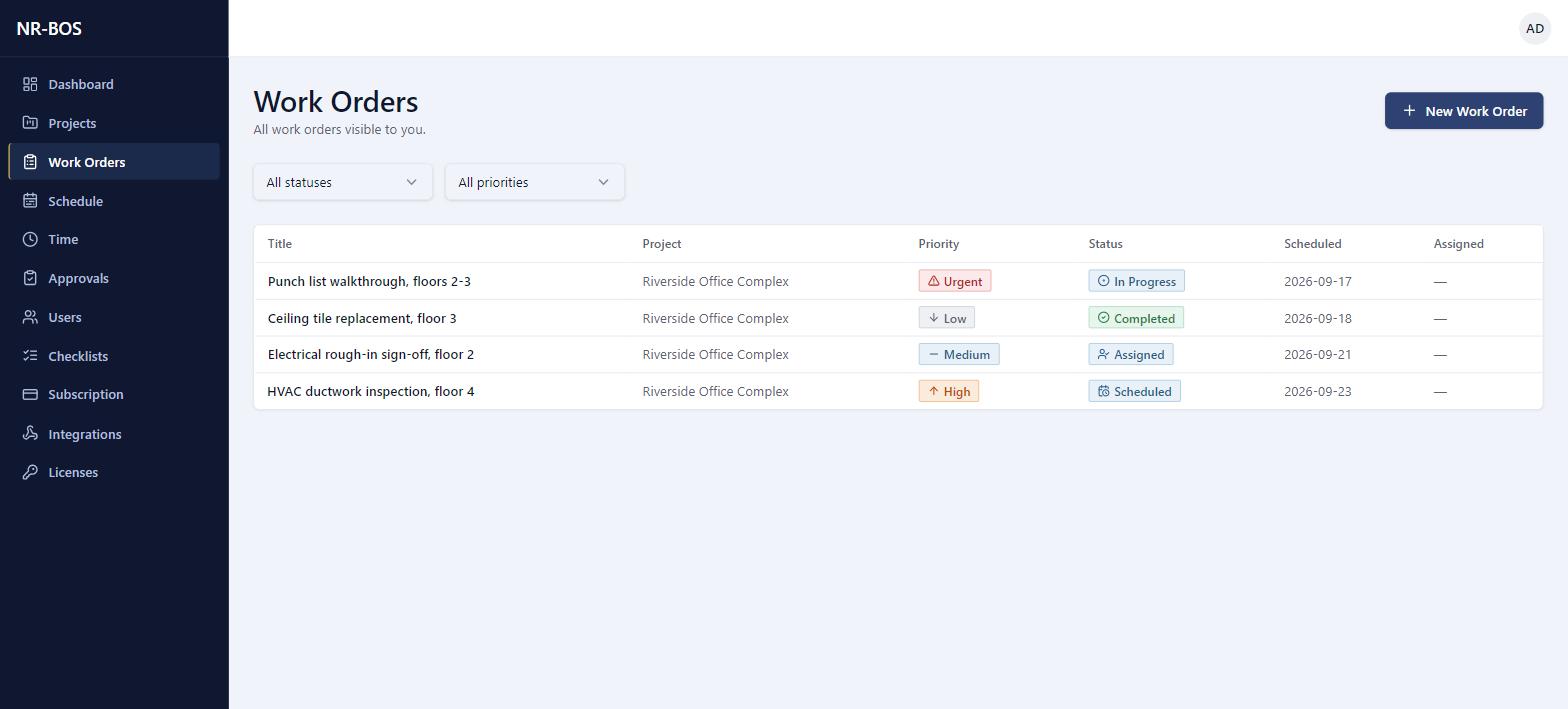
Available NowEvery job dispatched, scheduled, and tracked
Work orders carry a priority, a site location, and a scheduled window — laid out on a day, week, or month calendar so nothing falls through.
- Four priority levels, from Low to Urgent, visible at a glance
- A full status lifecycle — Draft through Scheduled, Assigned, In Progress, Review, Completed
- Optional checklist template attached, so field crews follow the same steps every time
Field Hours
Available NowHours logged once, approved before they count
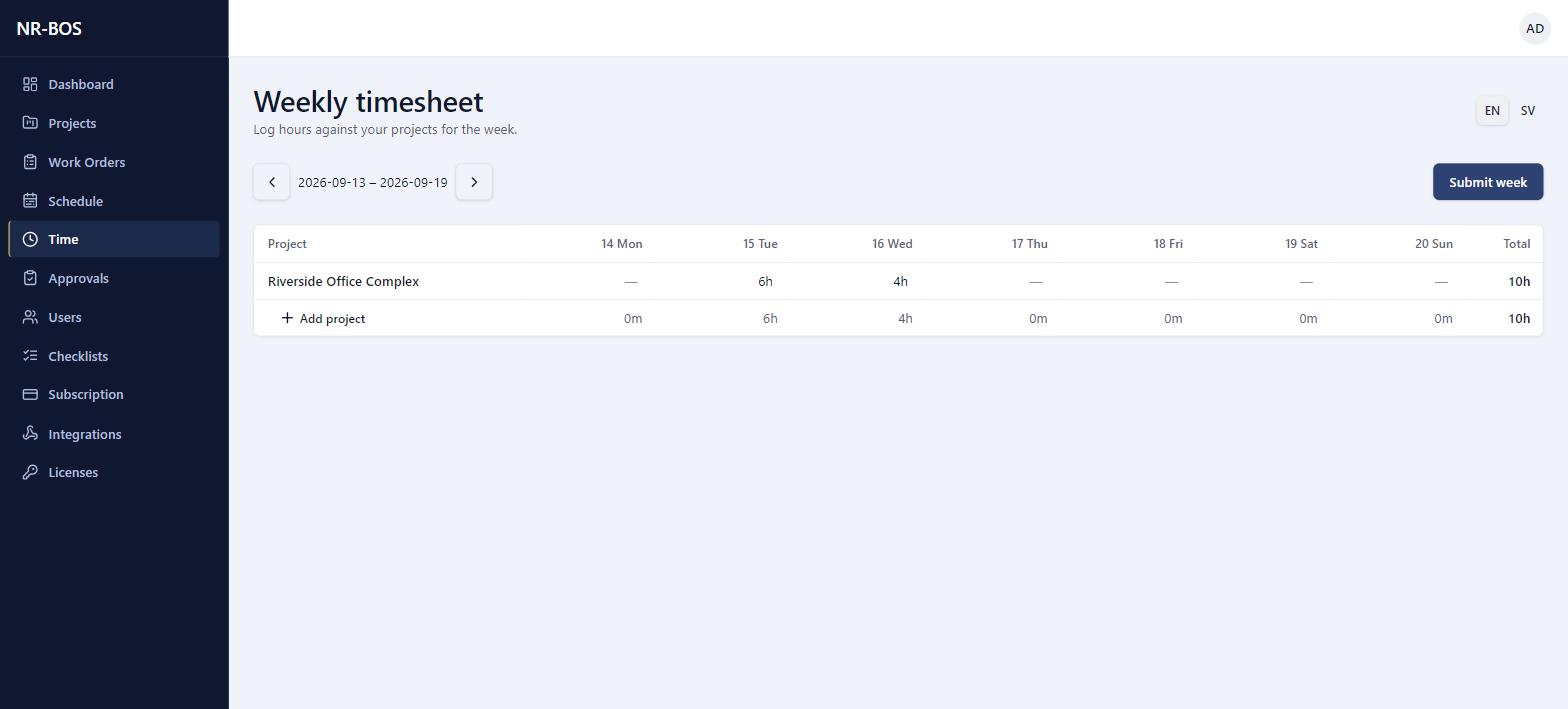
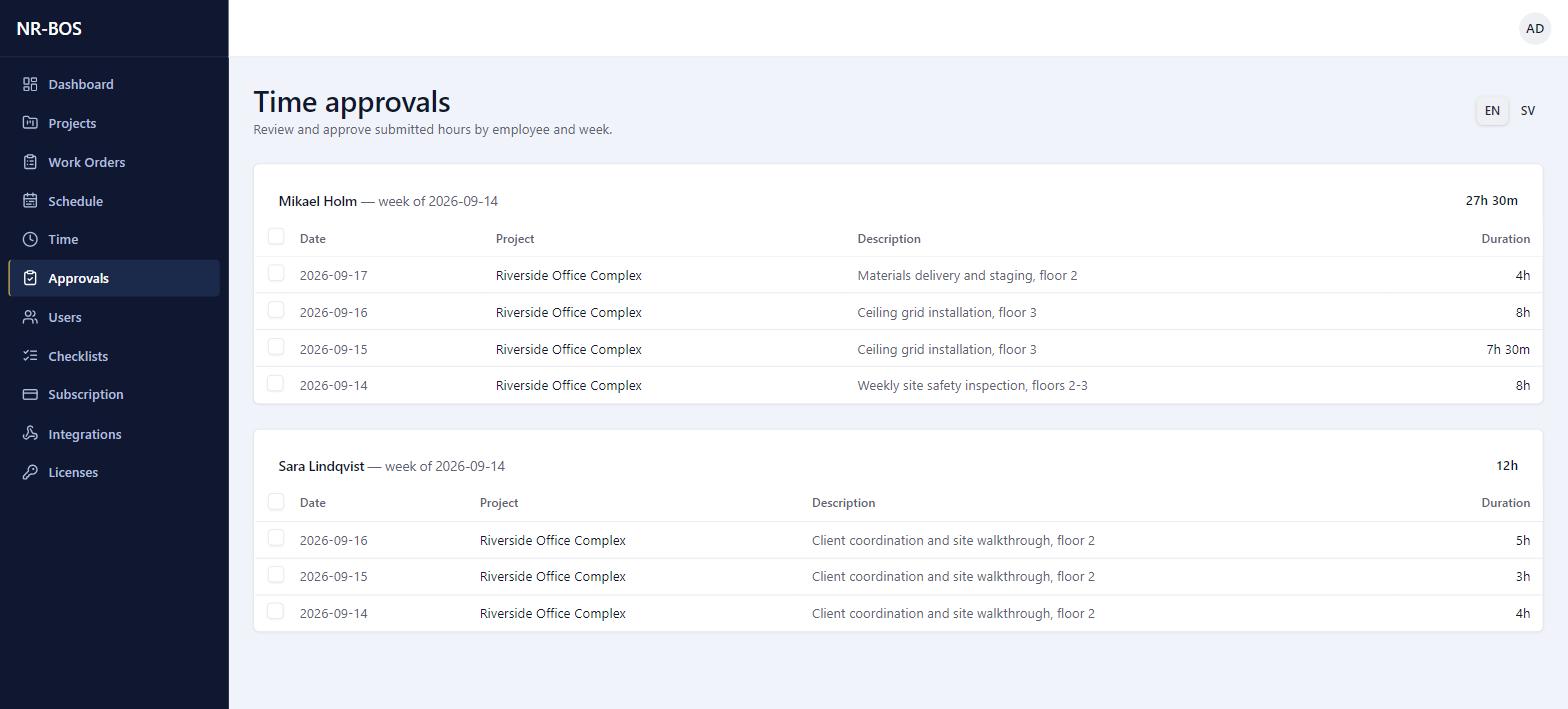
A weekly grid for logging time against a project, and a dedicated approval queue grouped by employee and week — nothing reaches payroll or cost reporting unapproved.
- Log time per project, per day, directly in the weekly grid
- Submit week in one click; a manager approves or rejects with a reason
- Approvals grouped by employee and week, with running totals
Standardized Steps
Available NowThe same steps, every time, on every job
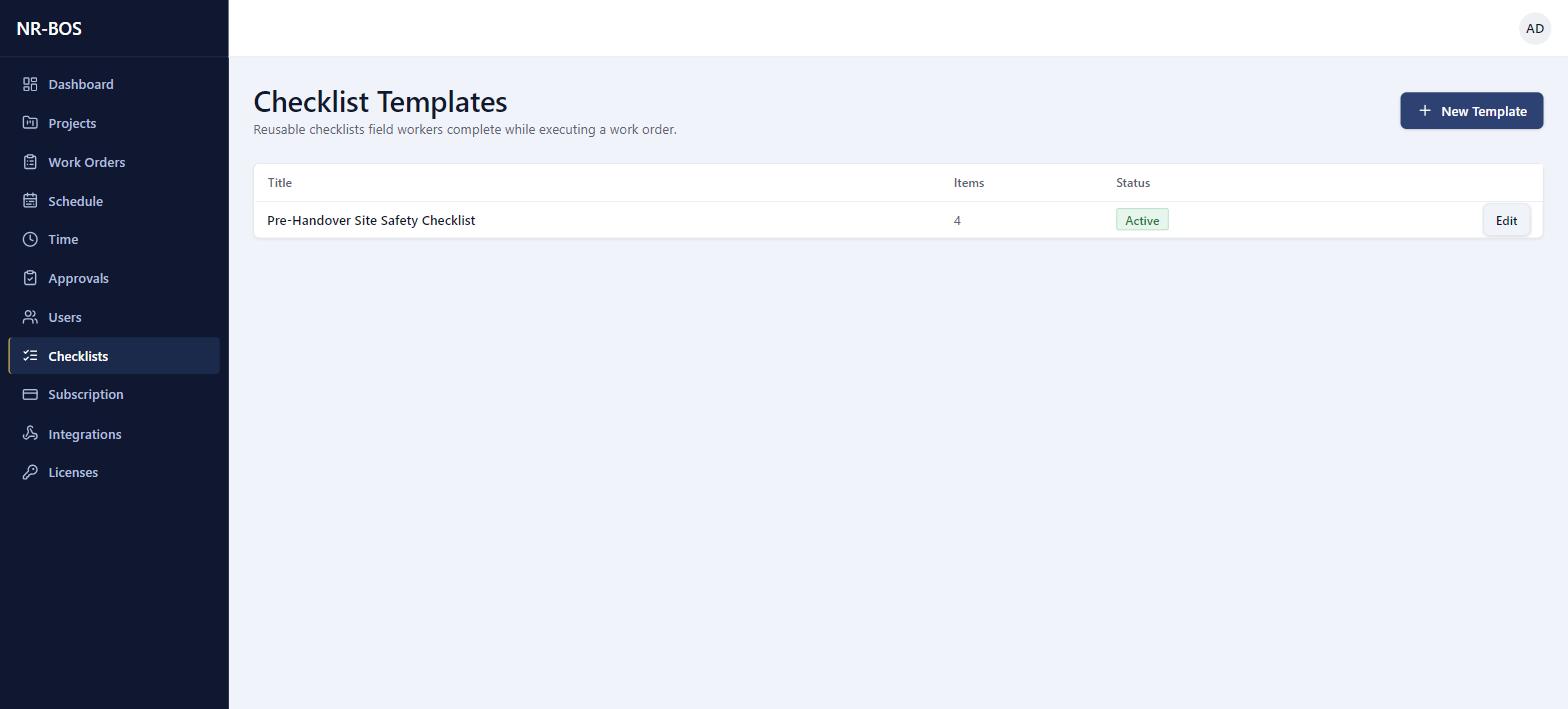
Reusable checklist templates attach to a work order, so field crews complete — and can prove they completed — the same steps regardless of who's on site.
- Checkbox or free-text items, each marked required or optional
- One template reused across as many work orders as needed
- Attached directly when a work order is created
On Site
Available NowWhat happened on site, with proof
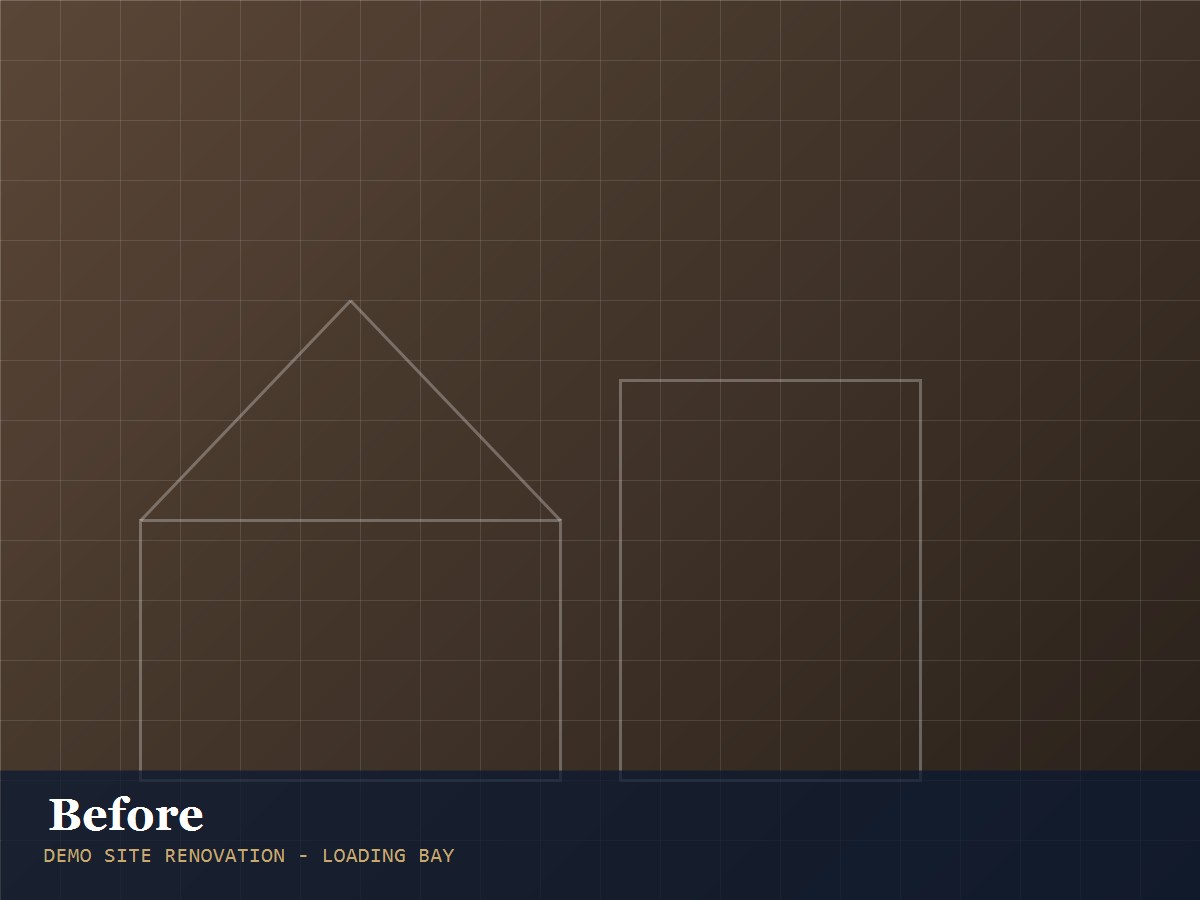
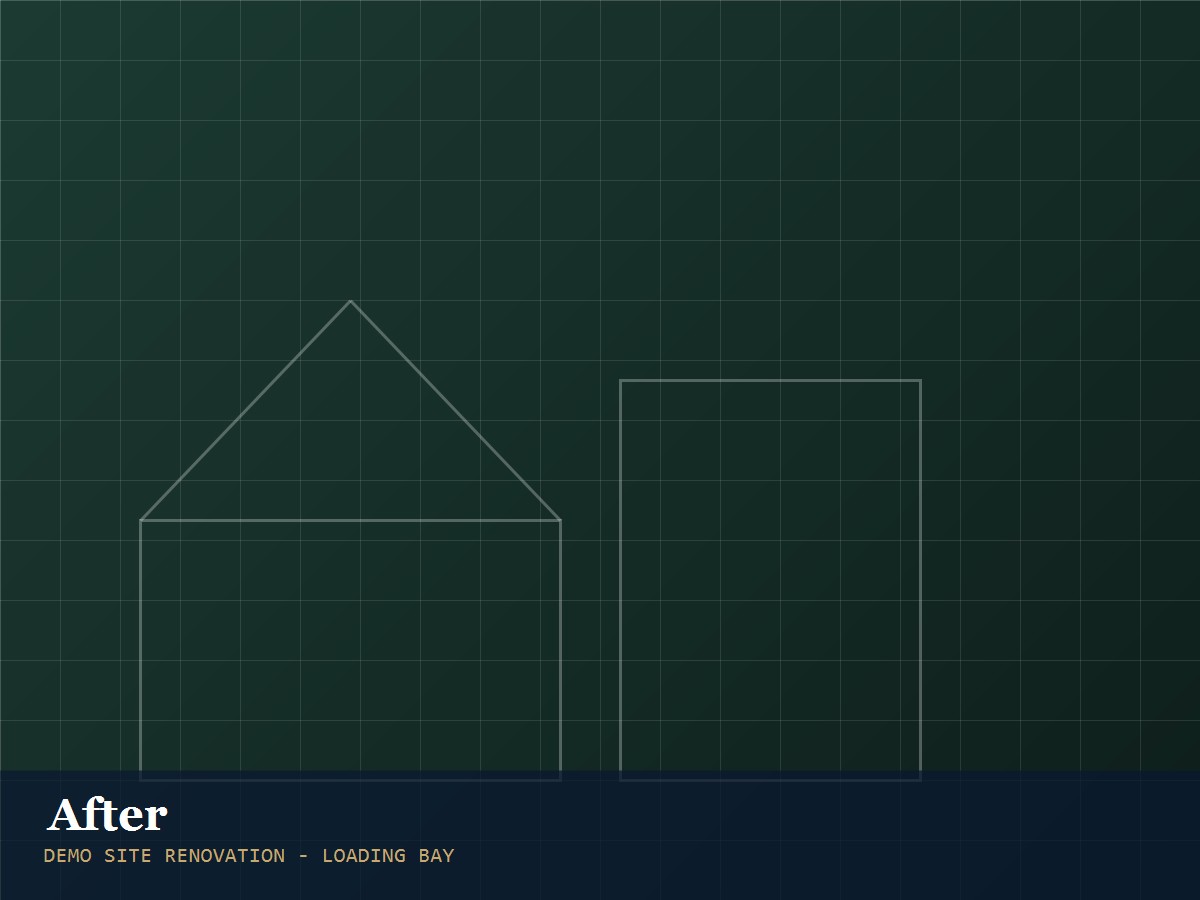
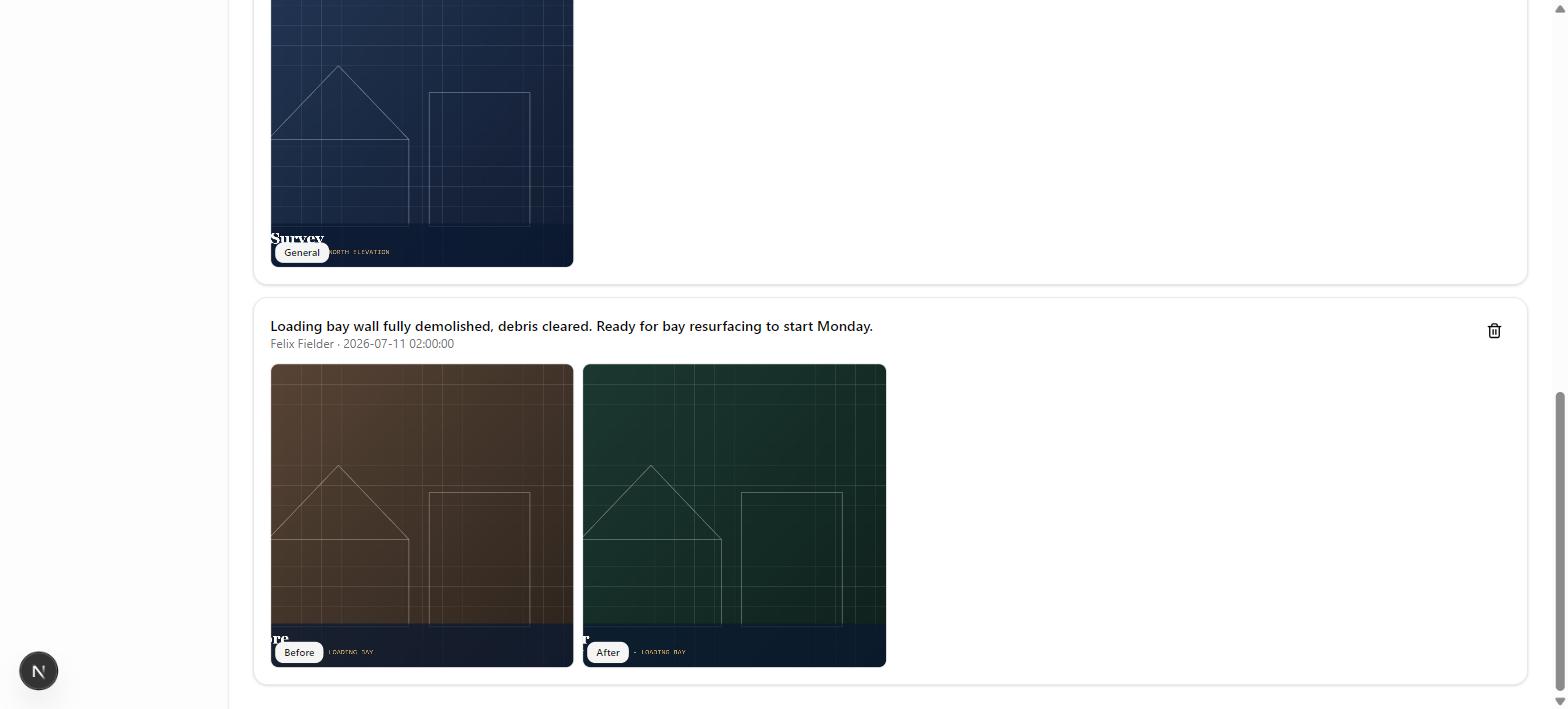
Field crews log progress notes and photos straight from the site — including paired before/after shots for work that's easy to describe but hard to picture.
- Notes tied to a specific task, timestamped and geotagged
- Before, after, and general photo types on every report
- Drag the slider below — a real before/after pair from a field report
Client-Facing
Available NowA branded PDF, generated in one click
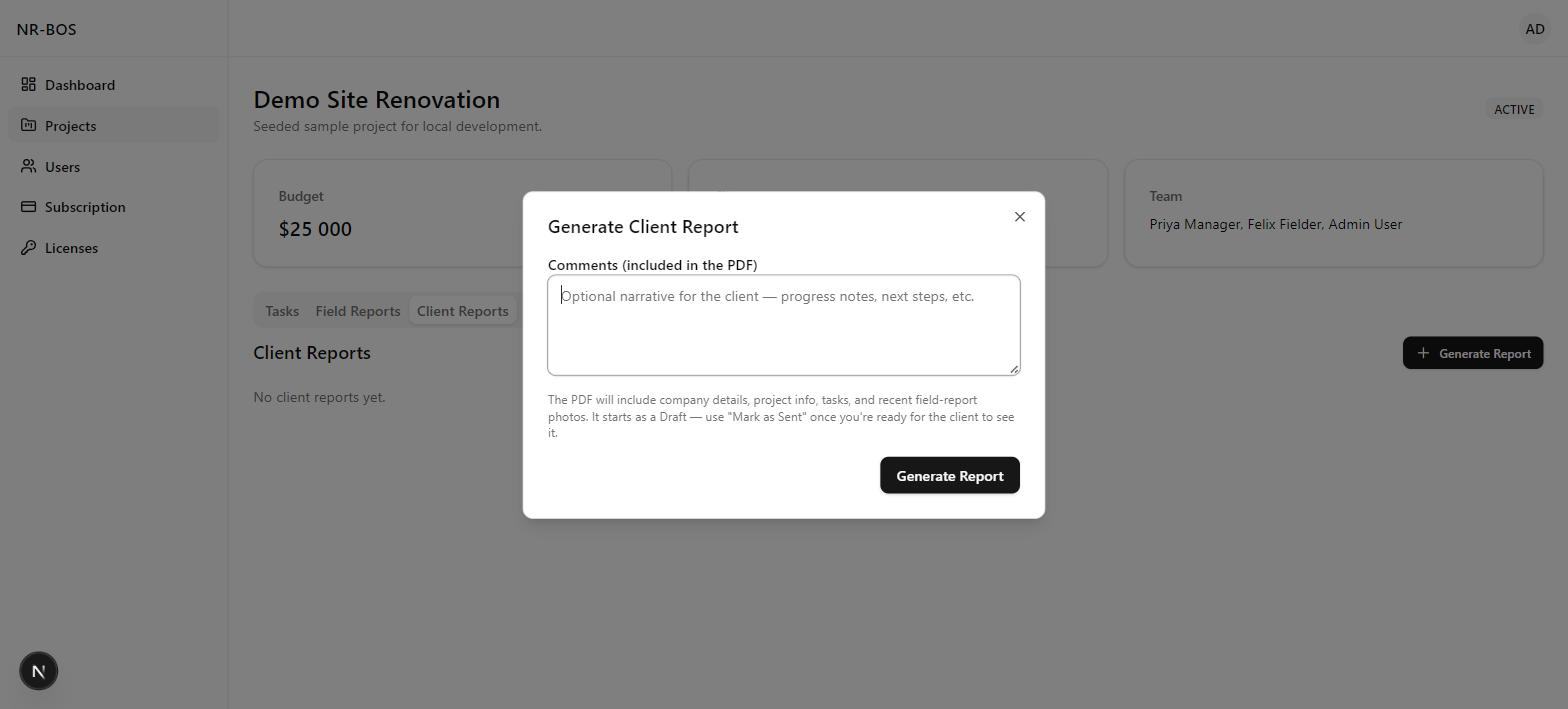
Pull a project's tasks, costs, and recent field photos into a client-ready PDF report — draft first, then mark as sent.
- Comments field for a written progress narrative
- Draft status until you're ready for the client to see it
- The generated PDF embeds recent field-report photos automatically
Team & Spend
Available NowWhere the time and money are going
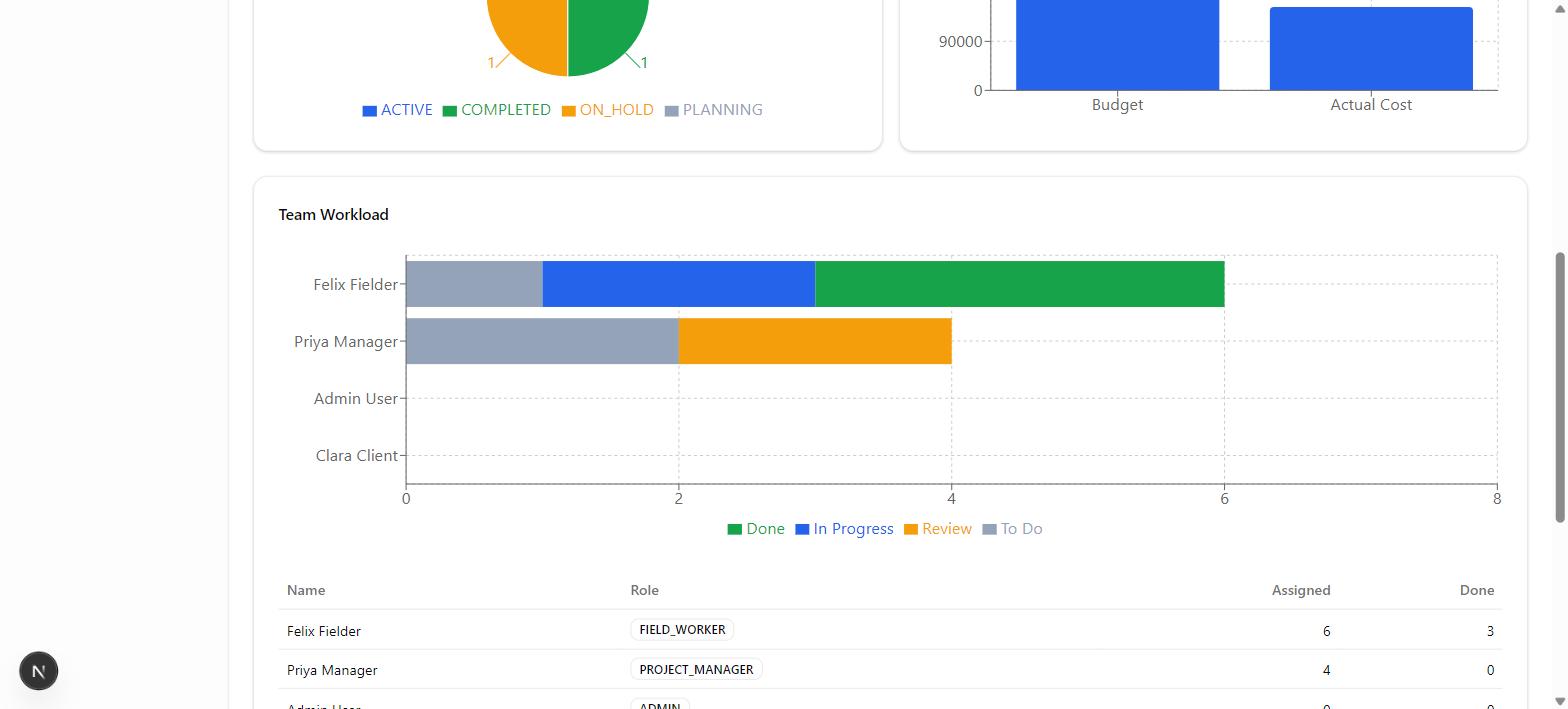
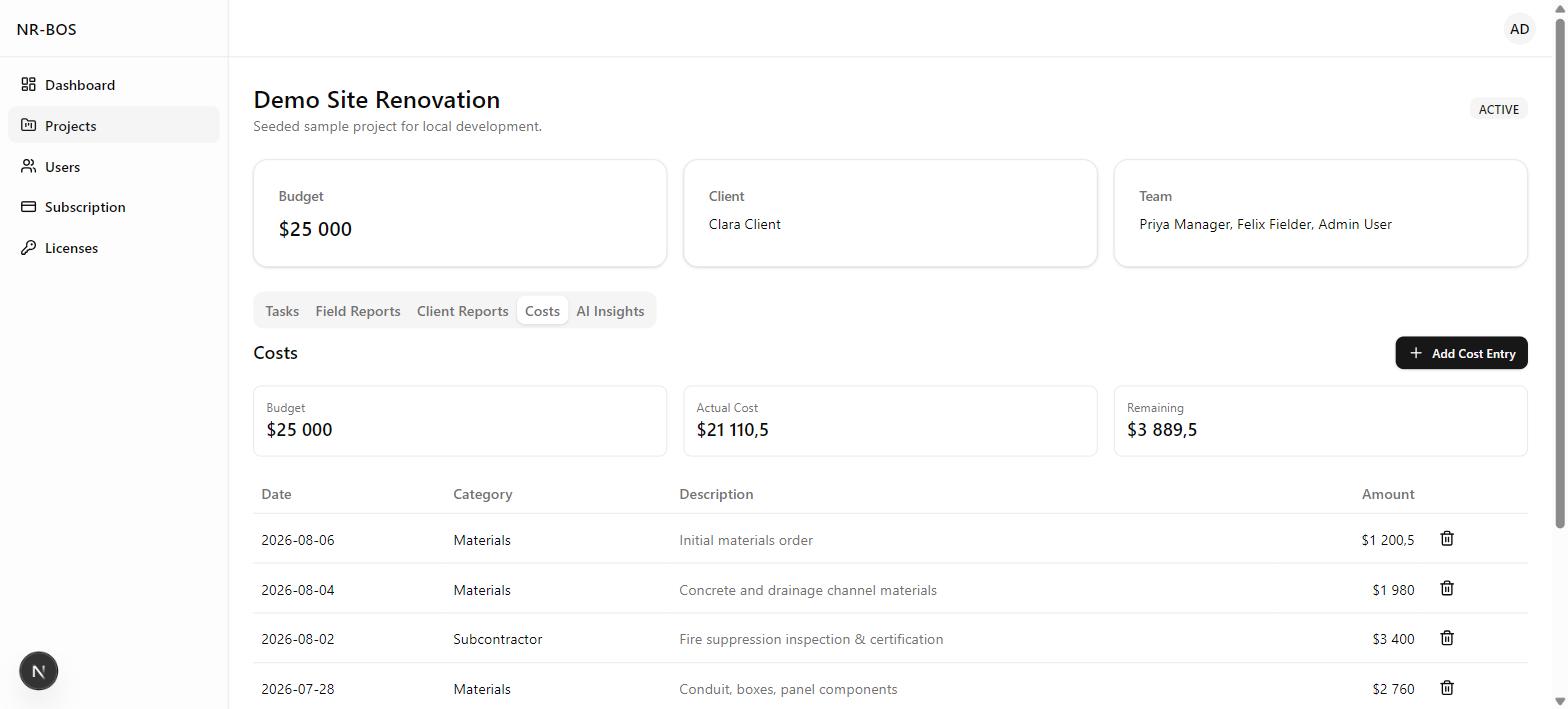
Team workload by status and a full cost ledger by category — the numbers behind the dashboard.
- Workload chart broken down by to do, in progress, review, and done per person
- Cost entries by category — materials, labor, subcontractor, permits
- Remaining budget calculated automatically as costs are logged
Connect Your Stack
Available NowOutbound webhooks, signed and event-driven
NR-BOS POSTs a signed payload to your endpoint the moment an event you picked happens — a completed work order, an approved time entry — no polling required.
- Pick the event types each webhook should fire on
- Pause a subscription without deleting it
- Every payload signed, so your endpoint can verify it's really from NR-BOS
Access & Billing
Available NowRole-based access, licensed by code
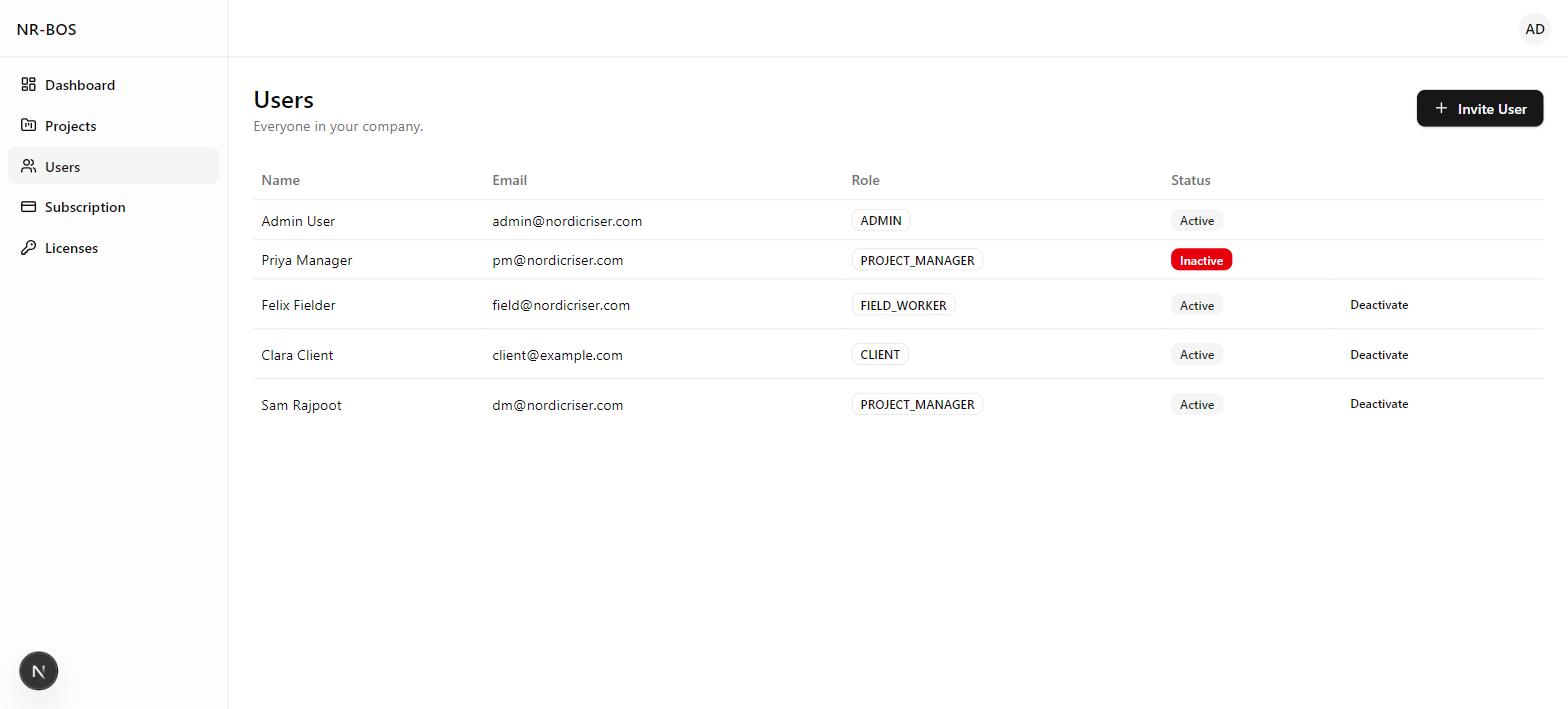
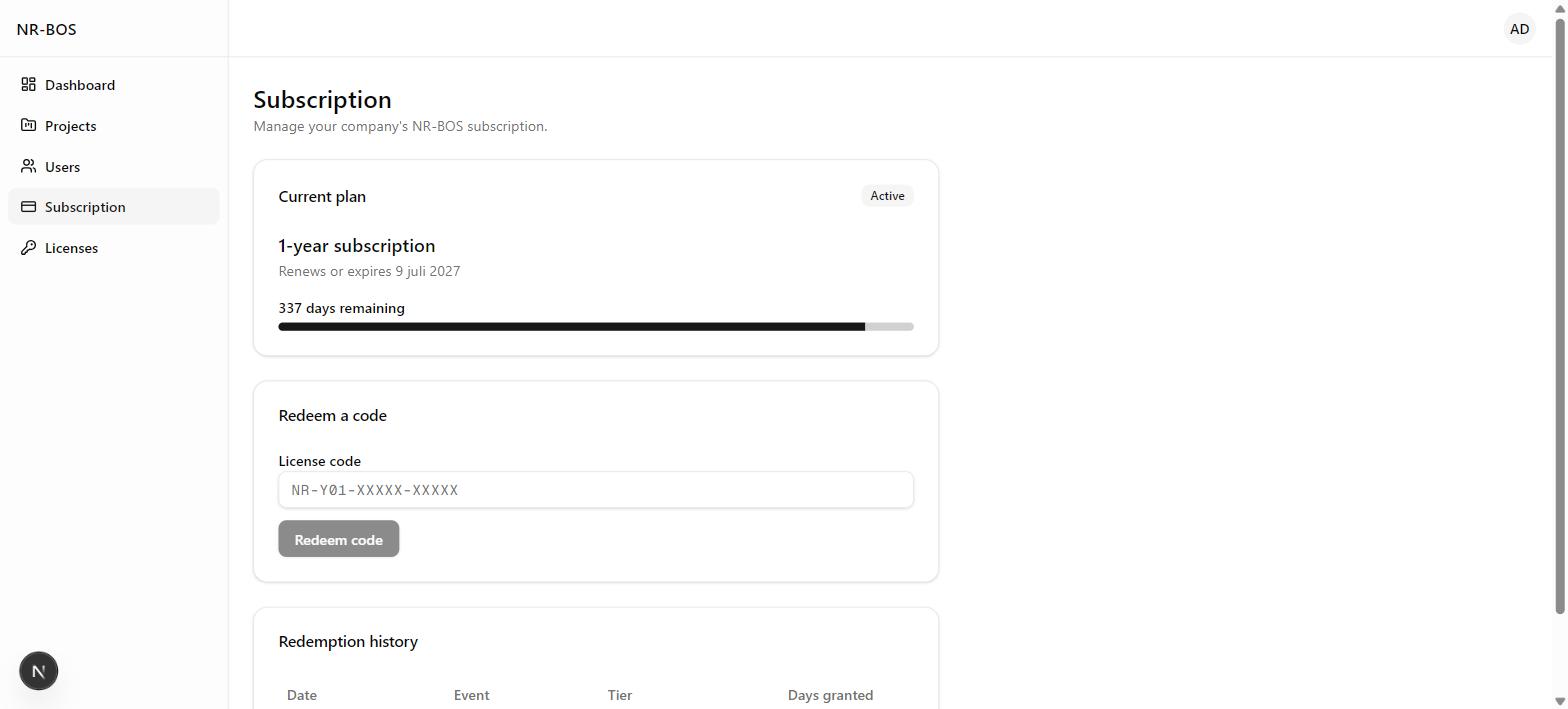
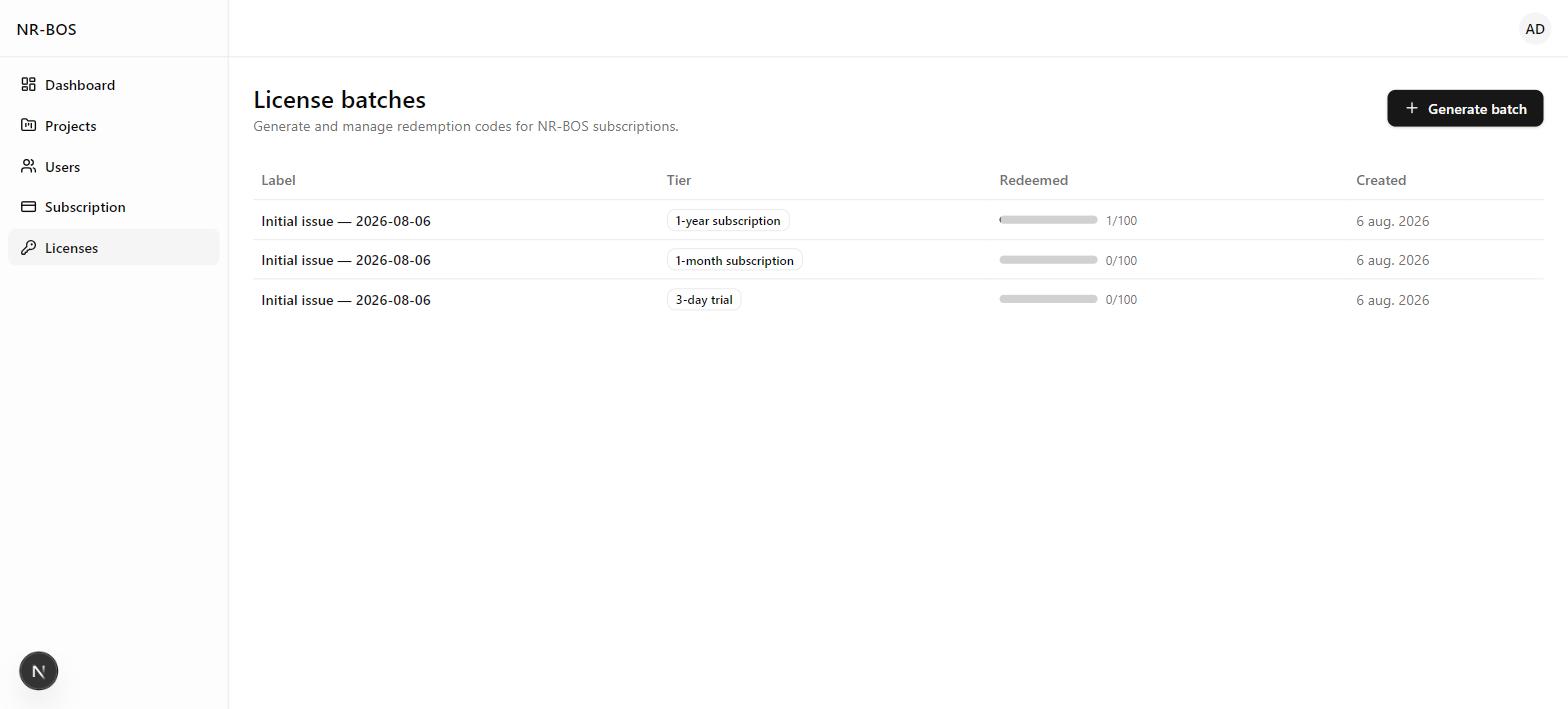
Admins, project managers, field workers, and clients each see only what's theirs. Access itself runs on redeemable subscription codes — no payment processor required.
- Four roles, each with a different view of the product
- Subscription status and renewal date visible at a glance
- License codes generated in batches and redeemed once per company
A live read on every project
Portfolio-wide KPIs, budget vs. actual spend, and team workload — the first thing anyone opens each morning.
Every job, tracked to the task
Projects carry their own budget, client, and team. Work inside each one runs on a four-column board — to do, in progress, review, done.
Hours captured once, trusted everywhere
A field worker starts and pauses a timer from their phone on site; back office corrects or fills in gaps on a weekly grid. Every entry moves through submitted, approved, or rejected before it feeds anything downstream.
Spend tracked against budget, by category
Every cost entry — materials, labor, subcontractors, permits — rolls up against the project budget in real time. Labor cost itself is derived from approved time entries against each employee's pay rate at the time the work was done, not keyed in by hand — and because rates are historised, a pay rise next quarter never silently rewrites what a job cost last quarter. Most tools overwrite the rate in place and quietly corrupt last quarter's numbers; this one doesn't.
What happened on site, with proof
Field crews log progress notes and photos straight from the site — including paired before/after shots for work that's easy to describe but hard to picture.
A branded PDF, generated in one click
Pull a project's tasks, costs, and recent field photos into a client-ready PDF report — draft first, then mark as sent when it's ready to go out.
Role-based access, licensed by code
Admins, project managers, field workers, and clients each see only what's theirs. Access itself runs on redeemable subscription codes, issued in batches — no payment processor required.
See NR-BOS Running on Your Kind of Work
Tell us about your operation and we'll walk you through the parts of NR-BOS that matter to you.
Thanks — We'll Be in Touch
We've received your request and will reach out to schedule your NR-BOS demo.
Want NR-BOS for your team?
Create your company account free, then unlock it with a subscription code when you're ready — or book a guided walkthrough first if you'd rather see it running before you commit.